Built for Vast.ai Operators

Take Control of Your GPU Fleet

Real-time monitoring, earning analytics, and smart alerts for your Vast.ai machines — all in one powerful dashboard built by an operator running 57+ GPUs.
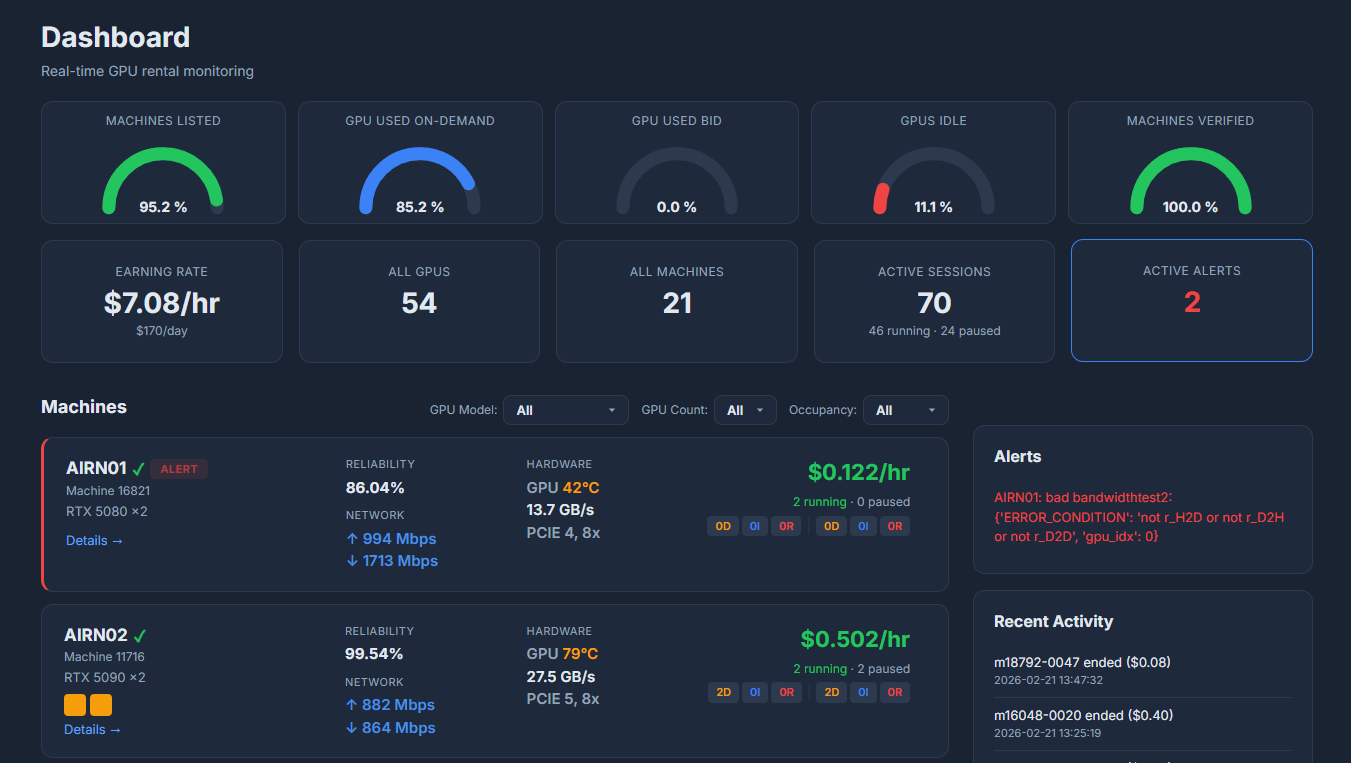
VastPulse Dashboard — Real-time GPU fleet monitoring

0

GPUs Field-Tested

0

Uptime Monitoring

0

Refresh Interval

0

Alert Coverage

Everything You Need to Maximize GPU Revenue

Built from real-world experience managing a fleet of 57+ GPUs on Vast.ai. Every feature solves a pain point we encountered ourselves.

Real-Time GPU Monitoring

Live view of every GPU in your fleet. Temperature, memory bandwidth, occupancy status, network speeds and reliability — all at a glance.

  • GPU temperature & memory bandwidth
  • Network upload/download speeds
  • PCI Express generation & lane width
  • Machine reliability scoring

Revenue & ROI Tracking

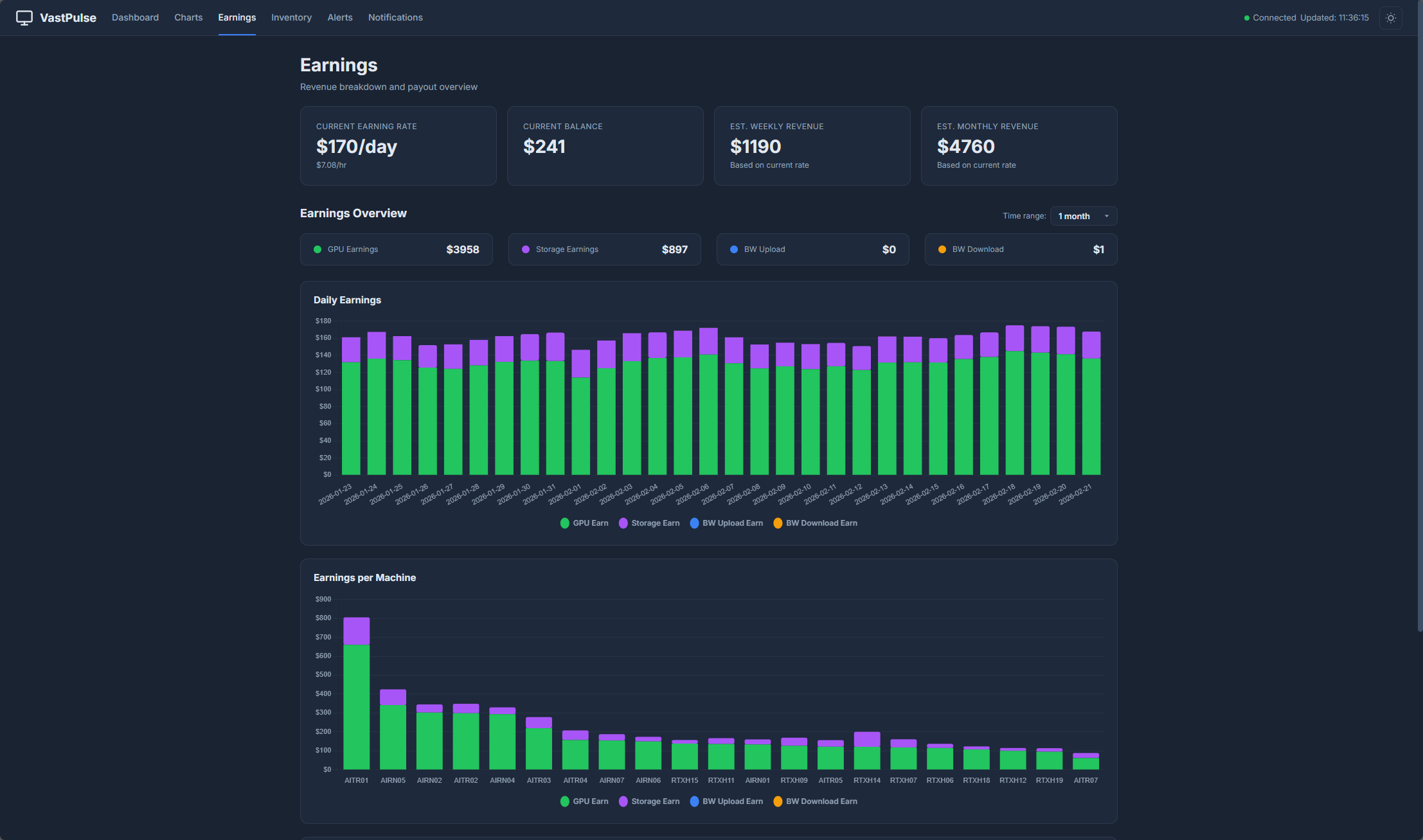
Know exactly how much each machine earns. Track hourly/daily rates, compare on-demand vs. interruptible revenue, and estimate total ROI.

  • Per-machine $/hr earning rate
  • Aggregated daily earnings
  • Session-level revenue breakdown
  • Historical earning trends

Smart Alert System

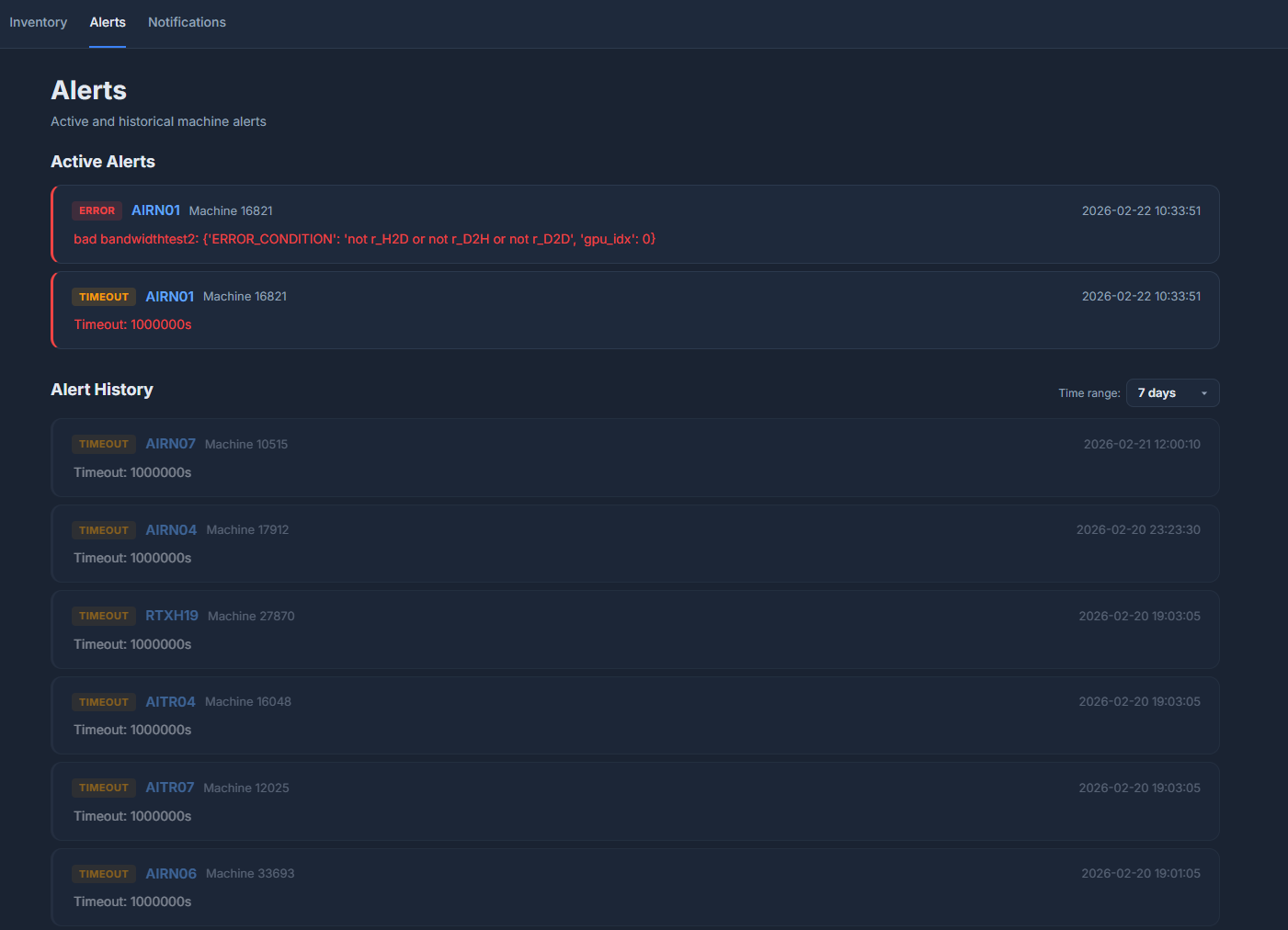
Get notified instantly when machines go down, rentals start/end, or errors occur. Supports Discord, email, and any Apprise-compatible channel.

  • Rental start/end/pause/resume events
  • Machine error & recovery alerts
  • Multi-channel: Discord, Email, Webhooks
  • Per-channel event filtering

GPU Occupancy Heatmap

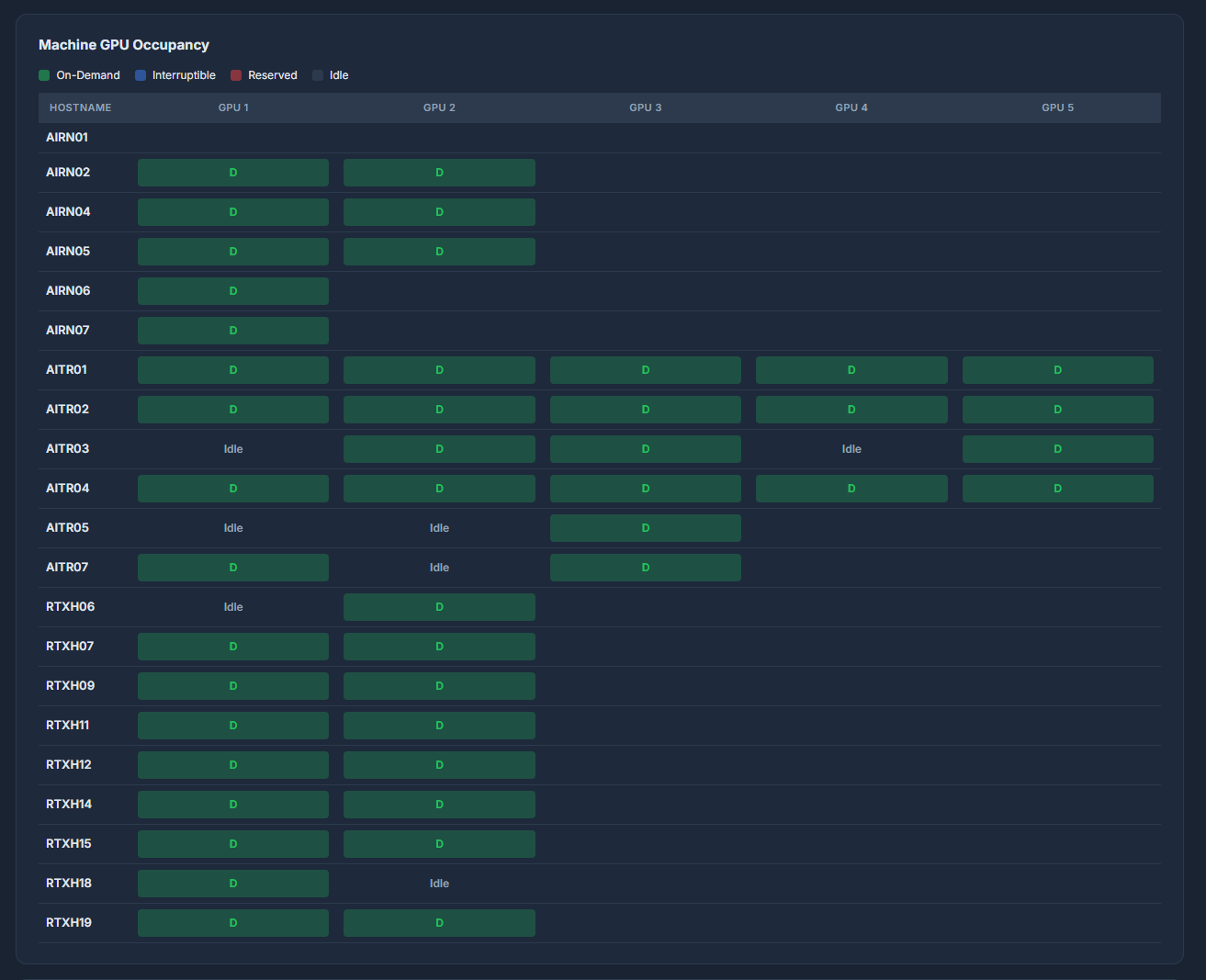
Visualize your entire fleet's GPU utilization at once. Instantly spot idle cards, on-demand vs. interruptible slots, and optimize pricing.

  • Color-coded D/I/R/idle slots
  • Per-machine GPU grid layout
  • Identify underperforming cards
  • Optimize listing strategy

Your Fleet, One Screen

Clean, dark-themed interface designed for operators who need to see everything at once without the noise.
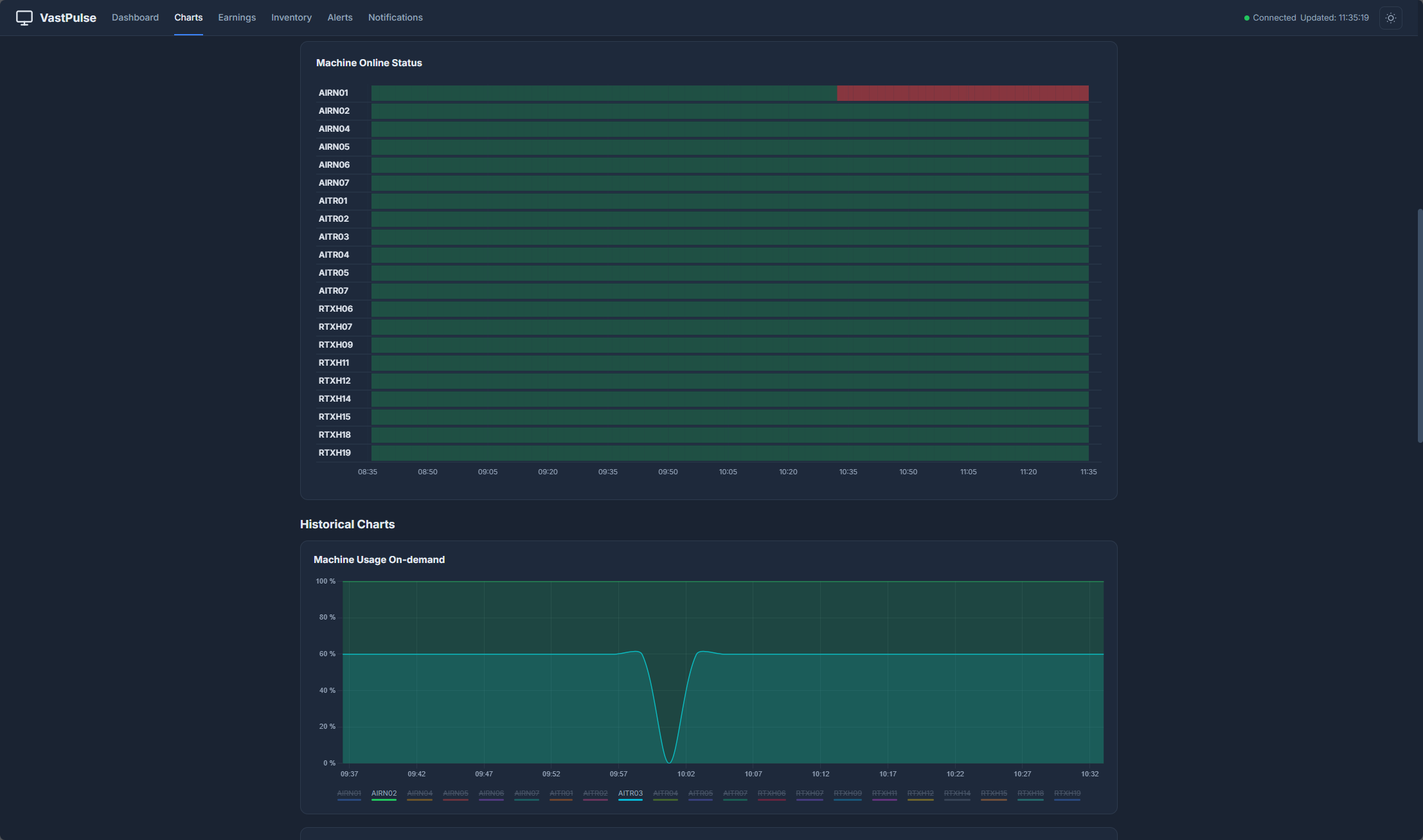
Dashboard
Dashboard
GPU Occupancy
GPU Occupancy
Historical Trends
Historical Charts
Earnings
Earnings
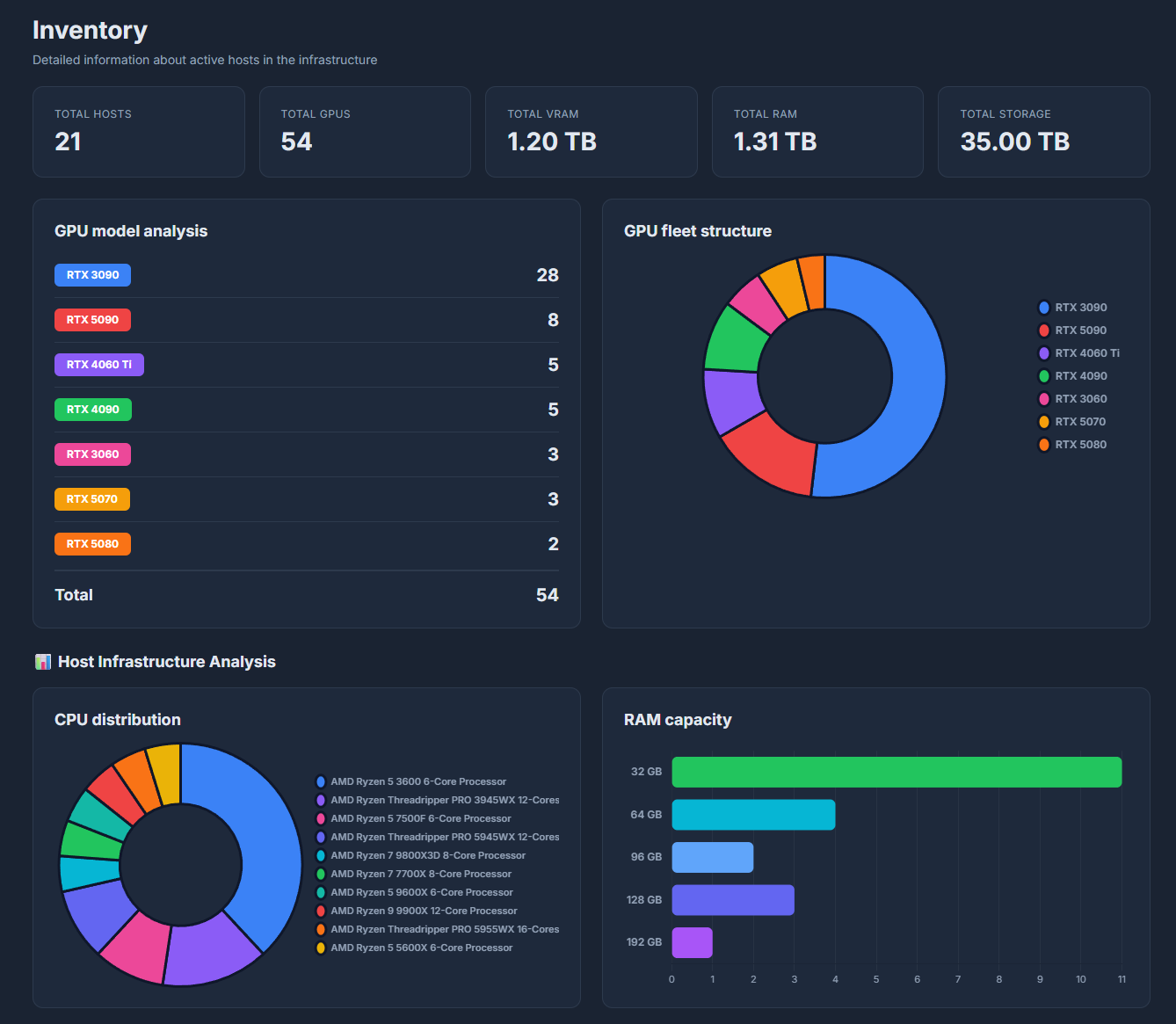
GPU Fleet
GPU Fleet
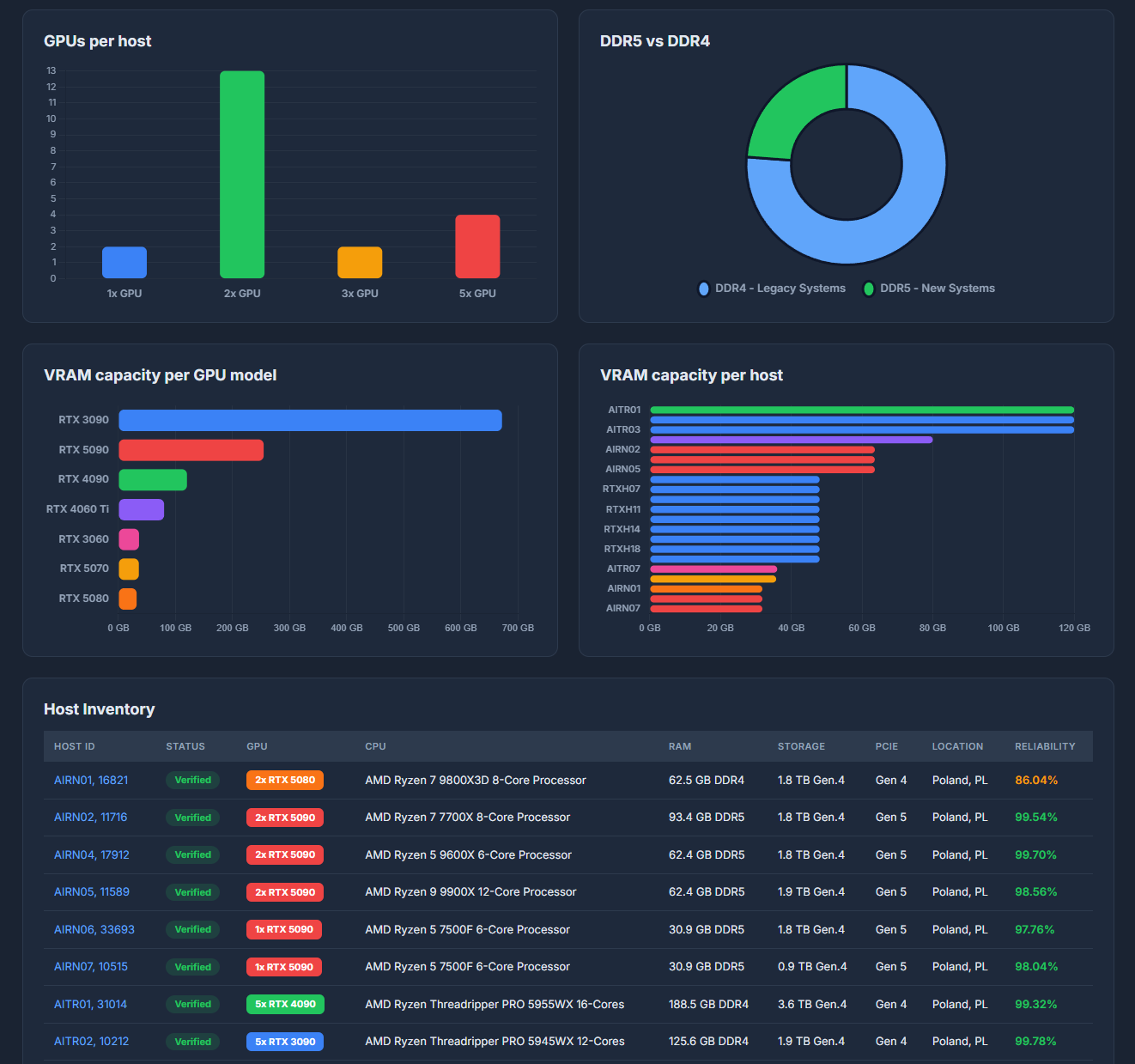
VRAM Analysis
VRAM Analysis
Host Inventory
Host Inventory
Alerts
Alerts
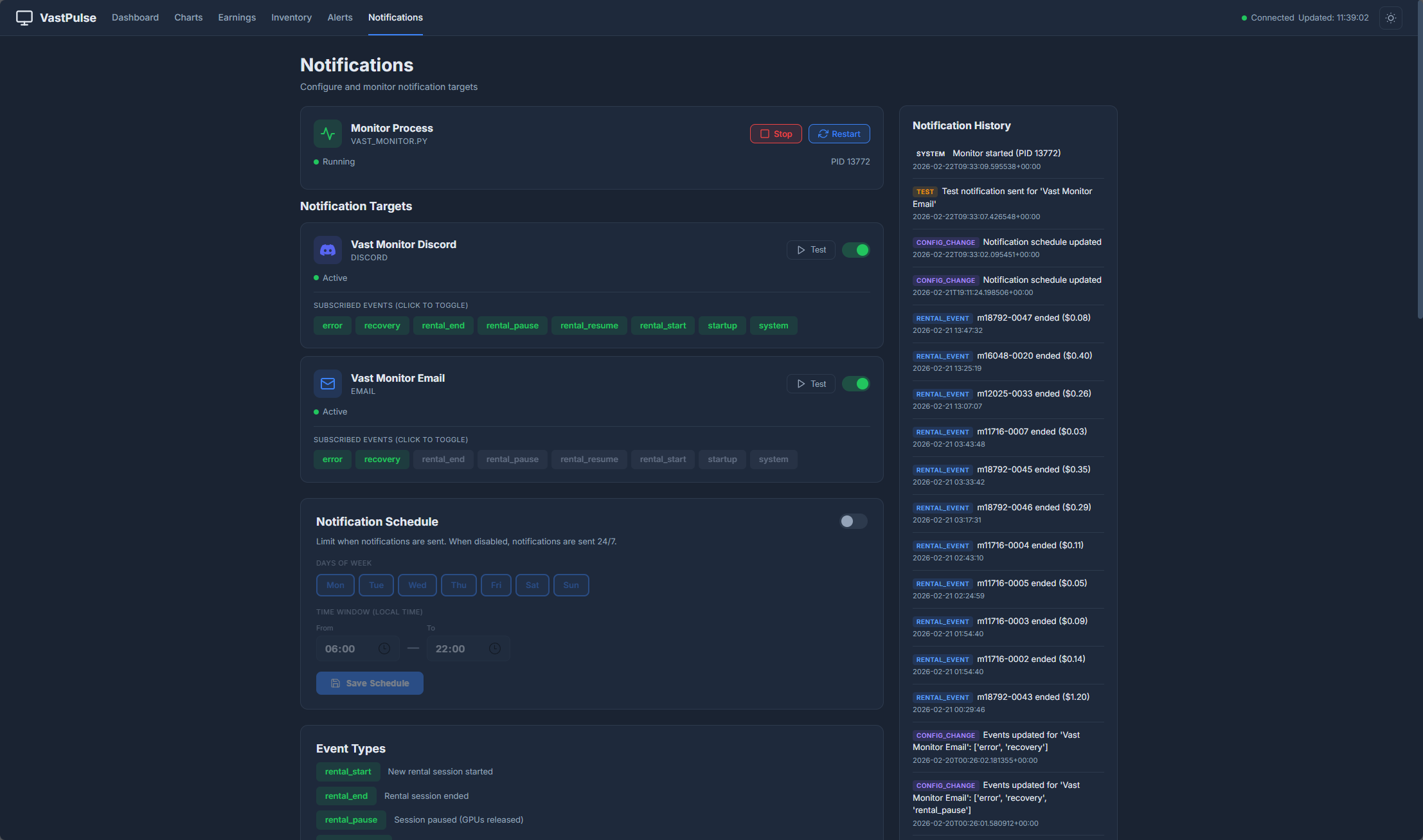
Notifications
Notifications
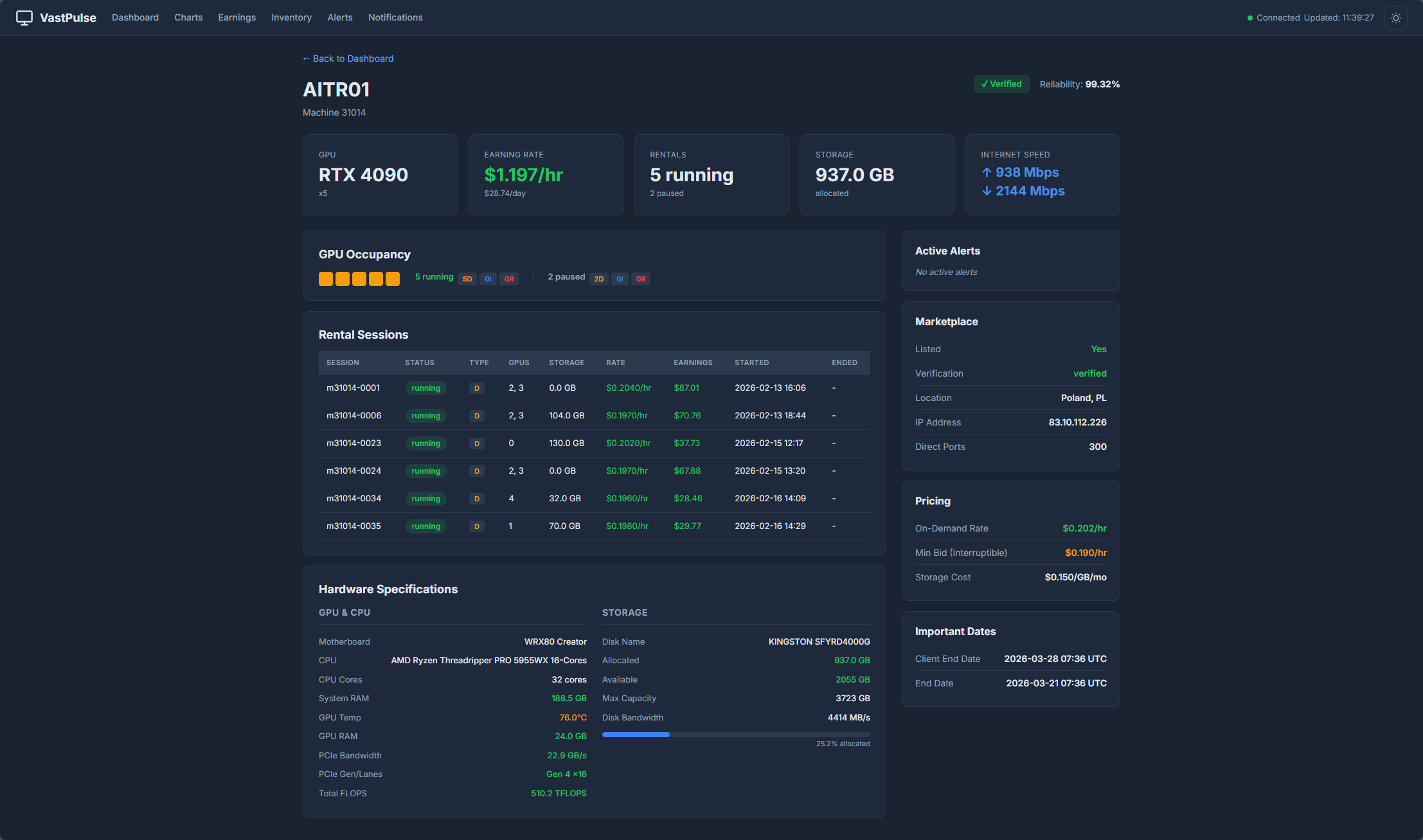
Machine Detail
Machine Detail

Simple, Transparent Pricing

Start free, upgrade when you're ready. Self-hosted Docker deployment — your data stays yours.

Free / Trial
$0
Perfect for getting started with a small rig.
  • Up to 5 GPUs
  • Real-time monitoring
  • 7 days of history
  • Basic dashboard
  • Email alerts
  • Priority support
Get Started Free
Enterprise
Custom
For large-scale operators with advanced needs.
  • Everything in Pro
  • Multi-host deployments
  • Custom integrations
  • SLA guarantee
  • Dedicated support channel
  • On-boarding assistance
Contact Sales

Frequently Asked Questions

Everything you need to know before getting started.

VastPulse uses the official Vast.ai REST API. You simply provide your API key as an environment variable when launching the Docker container. The app polls the API at a configurable interval (default: 60 seconds) and never stores your API key on any external server — everything runs on your own infrastructure.
VastPulse is self-hosted. You run a Docker container on your own server or machine. All data (machine snapshots, rental logs, earning history) is stored locally in a SQLite database on a Docker volume you control. No data is ever sent to our servers.
VastPulse uses Apprise for notifications, which supports 80+ services including Discord (with rich formatting and timestamps), email (SMTP), Slack, Telegram, webhooks, and many more. Each channel can be filtered to receive only specific event types.
Absolutely! The Free tier supports up to 5 GPUs with 7 days of history — no credit card required. The Pro plan also offers a 14-day free trial with full functionality, so you can test every feature with your full fleet before committing.
We actively monitor the Vast.ai API and release updates promptly. With Docker, updating is as simple as pulling the latest image. If you use Watchtower, updates can happen automatically. We're also planning to support additional platforms like RunPod and Clore.ai in the future.
Installation takes under 2 minutes. Pull the Docker image, create a docker-compose.yml with your API key and preferred settings, then run docker-compose up -d. The dashboard is immediately accessible on port 8000. Full documentation is included with every release.

Ready to Supercharge Your GPU Fleet?

Join operators who are monitoring their fleet with VastPulse. Start for free — no credit card required.